Best Non GamStop Casino UK 2026
Loading...
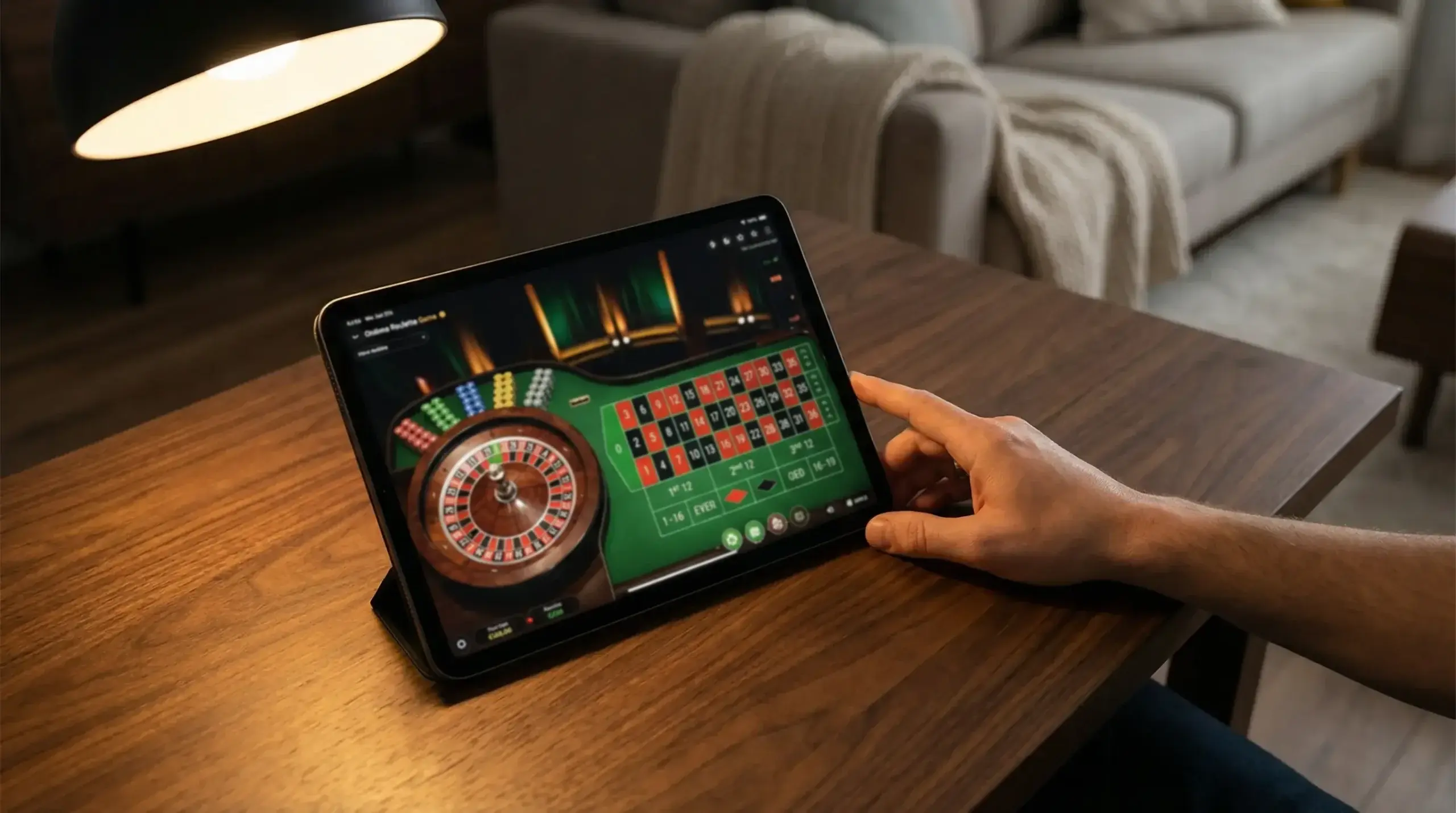
The iPad turns mobile casino into something closer to desktop — without the desk. A 10.9-inch or 12.9-inch screen gives live dealer streams room to breathe, slot animations space to render properly, and roulette betting grids enough real estate that you can place chips precisely without a zoom function doing the heavy lifting. If your iPhone is where you play on the go, the iPad is where you play when you want the experience to feel expansive.
Every casino app built for iPhone runs on iPad. Most adapt to the larger screen automatically, either through universal app design or iPadOS scaling. But “runs on iPad” and “optimised for iPad” are different things, and the gap between the two determines whether the bigger screen actually improves the experience or just magnifies a phone-sized interface with visible seams.
Advantages of Playing on iPad
Screen size is the obvious advantage, and it matters more than most players expect until they try it. Live casino benefits the most. On an iPhone, a live roulette stream fills a 6.1-inch display and the betting controls overlay the lower third of the video. On an iPad, the stream occupies a cinematic portion of the screen while the betting grid sits comfortably alongside it, giving you a clear view of the wheel and the layout simultaneously. The difference is not incremental — it changes how the game feels.
Slot games gain visual clarity. Feature-rich titles with detailed animations, cascading symbols, and multi-layer bonus rounds look noticeably better on a larger display. More importantly, the paytable and game information panels — often cramped and difficult to read on iPhone — become legible at a glance. If you take game selection seriously and want to review RTP, volatility, and feature details before playing, the iPad makes that process less tedious.
Table games benefit from precision. Blackjack, roulette, and baccarat interfaces that feel functional on iPhone feel comfortable on iPad. Chip placement on a roulette grid is more accurate with more surface area. Card details in blackjack are easier to read. The betting controls for live baccarat — including side bets and statistics panels — fit on screen without overlapping the video stream.
Audio quality on iPad is measurably better than iPhone for most users. The stereo speaker configuration on iPad Pro and iPad Air delivers fuller sound for live dealer commentary, game show hosts, and slot soundtracks. For live casino sessions where the dealer’s voice is part of the experience, the audio upgrade is noticeable without headphones.
Battery life favours the iPad in extended sessions. The larger battery in any iPad model means you can play for two to three hours of live casino streaming on a single charge — roughly double what an iPhone delivers under the same conditions. For players who settle in for longer sessions at home, this eliminates the need to play while plugged in.
Best iPad Casino Apps
The best iPad casino apps are those specifically designed as universal iOS apps — built to adapt their layout, button sizes, and information panels to the iPad’s screen dimensions rather than simply scaling up the iPhone interface. You can identify these apps by checking the App Store listing: apps labelled “Designed for iPad” or “Universal” have been explicitly configured for the larger display.
Apps that merely scale up the iPhone version look functional but feel wrong. Buttons are oversized, text floats in excessive whitespace, and the layout does not take advantage of the available screen space. Game lobbies designed for a phone screen show the same number of thumbnails on an iPad but with awkward spacing between them. These apps work, but they waste the iPad’s primary advantage.
The operators that invest in genuine iPad optimisation tend to be the larger UK-licensed platforms — the ones with dedicated mobile development teams and the resources to maintain separate layout configurations. Smaller operators are more likely to rely on a single responsive layout that stretches across devices without iPad-specific refinement.
Live casino performance on iPad depends on the same factors as iPhone — provider quality, connection speed, and stream bitrate — but the larger screen amplifies both good and bad implementation. A sharp Evolution stream looks stunning on iPad Pro. A poorly compressed stream from a lesser provider looks worse on iPad than it did on iPhone, because the lower resolution is more visible at the larger size.
iPad vs. iPhone Casino Experience
The choice between iPad and iPhone for casino apps is not about which is better in absolute terms. It is about context — when, where, and how you play.
iPhone wins on portability and convenience. It is always in your pocket, always connected, and ready for a quick session during a commute, a lunch break, or a wait. The screen is small but sufficient for slots and RNG table games. Live casino is watchable on iPhone, even if it lacks the visual impact of a larger display. For sessions under fifteen minutes, the iPhone is the natural choice because there is no setup, no propping up a device, and no finding a surface to rest it on.
iPad wins on immersion and comfort. For sessions longer than twenty minutes — particularly live casino, game shows, or multi-table play — the larger screen reduces eye strain, improves game visibility, and makes the entire experience feel less like a mobile workaround and more like a primary platform. If you play at home in the evening, the iPad on a stand delivers an experience that an iPhone in your hand cannot match.
Performance is identical for most practical purposes. Both devices use Apple’s own processors, both run the same iOS-based apps, and both connect to the same servers. The iPad Pro’s M-series chip is faster than the processors in most iPhone models, but the difference is invisible in casino apps — even the most demanding live casino stream does not tax either device’s processing capabilities.
Payment methods work identically. Apple Pay, PayPal, debit cards, and bank transfers function the same way on iPad as on iPhone. Face ID (on iPad Pro) and Touch ID (on iPad Air and standard iPad) provide the same biometric security. Your casino account, balance, and bonus status are the same across both devices — you can deposit on one and play on the other without any difference in functionality.
Split View and Multitasking
iPadOS supports Split View — the ability to run two apps side by side on the same screen. For casino players, this opens a practical option that iPhones cannot offer: playing a casino game in one half of the screen while keeping a strategy chart, a bankroll tracker, or a web browser open in the other half.
Blackjack players can run a basic strategy reference alongside a live table without switching apps. Slot players can keep a spreadsheet of RTP values visible while browsing the game lobby. Players who track their session results can log bets in real time without closing the casino app. These are niche use cases, but for the players who use them, Split View transforms the iPad from a larger screen into a more capable platform.
Slide Over — a smaller floating window that hovers above the main app — offers a lighter alternative. You can pull up a calculator, a notes app, or a messaging app without leaving the casino interface. The casino app continues running at full size in the background while the floating window handles whatever secondary task you need.
Bigger Screen, Bigger Picture
The iPad does not give you access to different games, better odds, or faster payouts. It gives you a better window into the same experience. For casual players who game exclusively on their iPhone, the iPad offers a quality-of-life upgrade that is pleasant but not essential. For players who take live casino seriously, who value visual detail, or who play sessions longer than a quick spin during a break, the iPad elevates the experience from adequate to genuinely comfortable.
If you own an iPad and a casino app you enjoy, try the same session on both devices. The comparison makes the argument better than any review can.